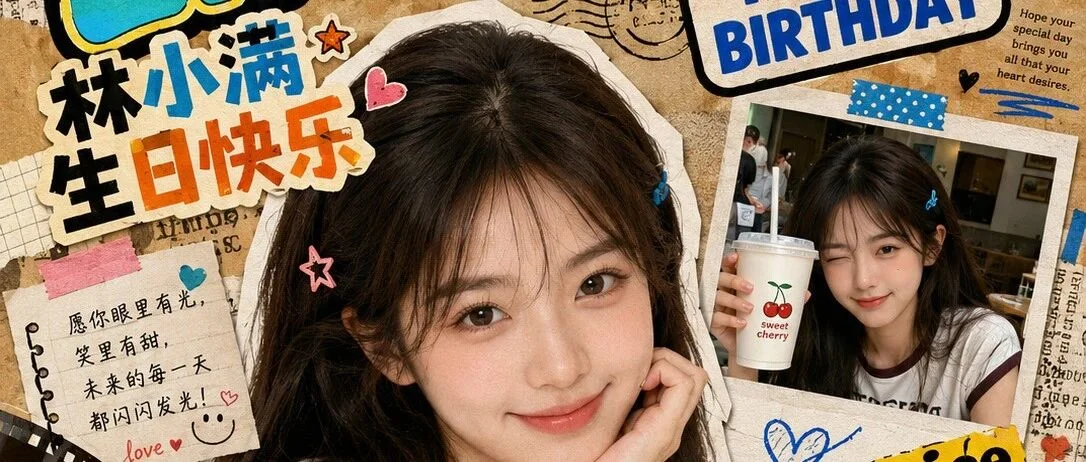
The difference between a mediocre AI-generated image and a stunning one often comes down to one thing: the quality of the prompt. Yet many users settle for their first attempt, never realizing that prompt edit — the art of iteratively refining your prompts — is where the real magic happens. In this guide, we'll teach you how to write effective **prompts image** generators understand, and how to edit them systematically until you get exactly the result you want.
Why Prompt Editing Matters
Here's a scenario you've probably experienced: you type "make a beautiful landscape" into an AI image tool. The result? A generic, uninspiring image that looks like a stock photo. Frustrating, right?
That's because AI image generators need specificity. A prompt edit workflow — write, generate, evaluate, refine, repeat — is the proven method to transform vague ideas into precise, stunning visuals. Professional AI artists don't write perfect prompts on the first try. They edit.
The Prompt-Editing Framework
Follow this four-step framework every time you generate an AI image:
Step 1: Write Your First Draft
Start simple. Get your core idea on the page.
Example: "A cat in a garden"
Step 2: Generate and Evaluate
Look at the result. What's missing? What looks wrong? Note specific issues:
- "The cat looks like a cartoon, but I want photorealistic"
- "The garden is too generic — needs more detail"
- "The lighting is flat and boring"
Step 3: Edit with Precision
Add, remove, or modify specific elements based on your evaluation.
Edited prompt: "A photorealistic orange tabby cat sitting on a weathered wooden bench in an English cottage garden, surrounded by blooming roses and lavender, soft golden hour sunlight filtering through leaves, shallow depth of field, shot on Canon EOS R5, 50mm f/1.4"
Step 4: Compare and Iterate
Each edit brings you closer. Don't settle after one revision. Professional prompt engineers average 3-5 edits per final image.
Essential Prompt Components
Every effective prompts image generators respond to should include:
1. Subject Clarity
Answer: Who or what is the main focus? What are they doing?
- Weak: "a person"
- Strong: "a ballerina in mid-leap, arms gracefully extended"
2. Environment Context
Answer: Where is this happening? What surrounds the subject?
- Weak: "in a room"
- Strong: "in a sun-drenched dance studio with floor-to-ceiling mirrors and a polished hardwood floor"
3. Lighting Specification
Answer: What type of light? From what direction? What quality?
- Weak: "well-lit"
- Strong: "soft morning light streaming through tall windows, creating long shadows"
4. Artistic Style
Answer: Photorealistic? Illustration? Oil painting? Anime?
- Be explicit: "photorealistic," "watercolor illustration," "cyberpunk digital art," "1950s vintage poster"
5. Technical Specs
Answer: Camera, lens, composition, color palette
- Add: "shot on Fujifilm GFX 100S, 110mm f/2, desaturated color palette"
Before-and-After Prompt Edit Examples
Example 1: Portrait
Before: "A portrait of a woman"
After: "An intimate portrait of an elderly woman with silver hair and deep smile lines, sitting by a window in a rustic kitchen, soft natural window light illuminating half her face, weathered hands resting on a wooden table, photorealistic, shot on Leica M6, 50mm f/2, black and white, fine art photography"
Example 2: Food Photography
Before: "A pizza"
After: "An overhead flat-lay food photograph of a Neapolitan pizza fresh from a wood-fired oven, bubbling mozzarella and fresh basil leaves, steam rising gently, on a rustic wooden board, warm natural light from upper left, styled with scattered flour and a vintage pizza cutter, commercial food photography, 4K ultra-detailed"
Example 3: Architecture
Before: "Modern building"
After: "A minimalist concrete and glass building at blue hour, warm interior lights glowing through large windows, reflecting pool in the foreground creating a perfect mirror image, dramatic wide-angle perspective, architectural photography, shot on Sony A7R V, 16-35mm f/2.8"
Platform-Specific Prompt Editing Tips
ChatGPT (DALL·E)
- DALL·E responds well to conversational descriptions — you don't need to use comma-separated keyword style
- It excels at creative concepts but can struggle with precise photorealism
- Edit tip: If faces look distorted, add "natural facial proportions, symmetrical features"
Midjourney
- Uses a keyword-heavy style with parameters (`--ar 16:9`, `--style raw`, `--v 6`)
- Weights can be assigned with `::` (e.g., `sunset::2 beach::1` makes sunset twice as important)
- Edit tip: Use `--no` to exclude elements (e.g., `--no blur, text`)
Stable Diffusion
- Responds to both natural language and tag-based prompts
- Supports negative prompts natively
- Edit tip: Add quality boosters like "masterpiece, best quality, 8K, highly detailed"
Common Prompt Editing Pitfalls
Editing too many things at once: Change one element per iteration. Otherwise you won't know which change caused the improvement (or made things worse).
Adding instead of replacing: If the background is wrong, edit it directly. Don't just tack on more description — the AI may mix old and new instructions.
Forgetting to test across platforms: A prompt that works brilliantly on ChatGPT may fail on Gemini. Always test your edited prompts on your target platform.
Pro-Level Prompt Edit Workflows
The Sandwich Method
1. Top: Broad concept and style ("photorealistic portrait, fine art")
2. Middle: Specific subject and environment details
3. Bottom: Technical specifications and quality keywords
The Remove-and-Replace Technique
When something specific is wrong:
- Identify the exact problem word or phrase
- Remove it completely
- Replace it with a more precise alternative
- Example: Remove "happy" → Replace with "a genuine wide smile, eyes crinkling with joy"
Building Your Prompt Library
The best prompt engineers maintain a personal library of successful prompts. Here's a minimal template:
```
[STYLE] photorealistic / illustration / anime
[SUBJECT] specific description with clothing/features/pose
[SETTING] environment with 2-3 key details
[LIGHTING] type, direction, quality
[CAMERA] brand, model, lens, settings
[MOOD] emotional quality, atmosphere
```
Conclusion
Great AI images don't come from great first prompts — they come from great prompt edit workflows. Write, generate, evaluate, and refine. Each iteration is a step toward your vision. The best AI prompt engineers don't have a magic vocabulary; they have a systematic process.
Start with the framework above, build your prompt library, and remember: the edit is where the art happens. Your next stunning prompts image result is just a few revisions away.